
Why Coupon Codes Sometimes Fail — and What to Do About It
Expired codes, exclusions, cart minimums — discover the real reasons discount codes stop working and how to troubleshoot them.
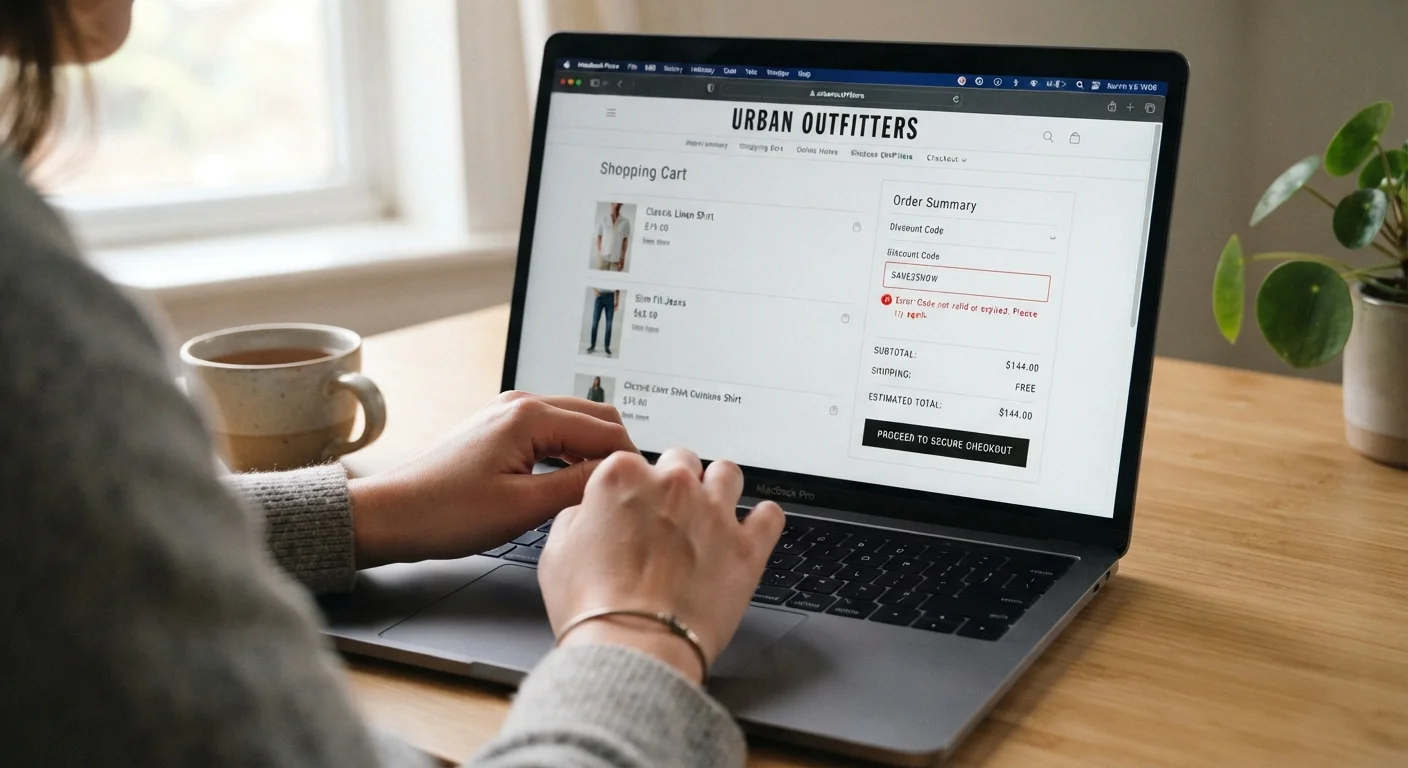
Photo: SummarizedReads.net | Just Read It! editorial
—— In This Article
Key Takeaways
- Most coupon code failures trace back to a handful of predictable, avoidable causes.
- Cart minimums, product exclusions, and single-use limits are the most common silent blockers.
- Verifying a code's terms before checkout saves time and prevents last-minute disappointment.
- Browser extensions and auto-applied discounts can sometimes conflict with manually entered codes.
The Most Common Reasons Coupon Codes Stop Working
Coupon codes fail more often than retailers advertise, and the reasons are rarely random. Understanding the underlying mechanics makes troubleshooting much faster. Here are the most frequent culprits — and what you can actually do about each one.
Using an expired coupon code without checking the validity date.
Why it happens: Coupon aggregator sites often display codes long after they've lapsed, and there's no universal system that flags or removes outdated codes automatically.
Applying a code to a cart that doesn't meet the minimum purchase threshold.
Why it happens: Minimum order requirements are often buried in fine print or displayed only after checkout fails, so shoppers miss them during browsing.
Trying to use a code on excluded product categories or sale items.
Why it happens: Retailers routinely exclude clearance merchandise, electronics, or specific brands from promotional discounts, but these exclusions aren't always visible on the product page itself.
Attempting to reuse a single-use or account-specific code.
Why it happens: Codes distributed via email or loyalty programs are often tied to one account or one transaction. Once used — or even if attempted on the wrong account — they are invalidated.
Entering the code with extra spaces, incorrect capitalization, or typos.
Why it happens: Manually retyping codes from images or screenshots is error-prone, and some fields are case-sensitive without indicating so.
For a broader look at how discount tools compare, see our comparison of cashback portals and coupon sites — two very different approaches to saving online.
Practical Steps When a Code Won't Apply
~60%
Coupon codes that fail at checkout
RetailMeNot has reported in past consumer research that roughly six in ten publicly posted coupon codes either fail or are expired at time of use.
1 in 3
Shoppers who abandon carts after a failed code
Survey data from CouponFollow has indicated that approximately one-third of online shoppers abandon their purchase when a discount code doesn't work as expected.
When a code fails, work through a quick checklist before giving up. First, double-check that your cart meets any stated minimum. Second, review which items qualify — look for an "exclusions apply" note in the promotion's fine print. Third, try applying the code in a fresh browser tab or an incognito window, since saved sessions and auto-fill data can interfere.
If a browser extension is running — especially one designed to find or apply coupons automatically — disable it temporarily. Some extensions overwrite manually entered codes or flag your session in ways that prevent new codes from validating. Once disabled, clear the cart, re-add items, and try the code again.
Auto-Applied Extensions Can Conflict With Manual Codes
Browser extensions that auto-apply coupons sometimes prevent manually entered codes from being recognized, or they silently apply a lower-value code over a better one you found. If you're using such an extension, disable it before entering your own code. Re-enable it only after confirming your preferred discount has been applied successfully.
When in doubt about whether a discount has been applied correctly, consult our pre-checkout discount verification checklist before finalizing any order. And if you're interested in combining multiple discount types, our guide on stacking coupons and cashback explains when layering actually works. For more general money-saving strategies, explore our shopping tips hub.

Shopping Editorial Team
Shopping Editorial Team is the collective byline for our editorial team and contributor network. Articles published under this byline or an editorial pen name are researched, written, and reviewed according to our editorial standards for clarity, consistency, and independence before publication.
View author profile