
Browser Extensions That Surface Coupons Automatically: What They Do and How
Automatic coupon tools work in the background at checkout. Here's a plain-language look at how they function, their trade-offs, and privacy considerations.
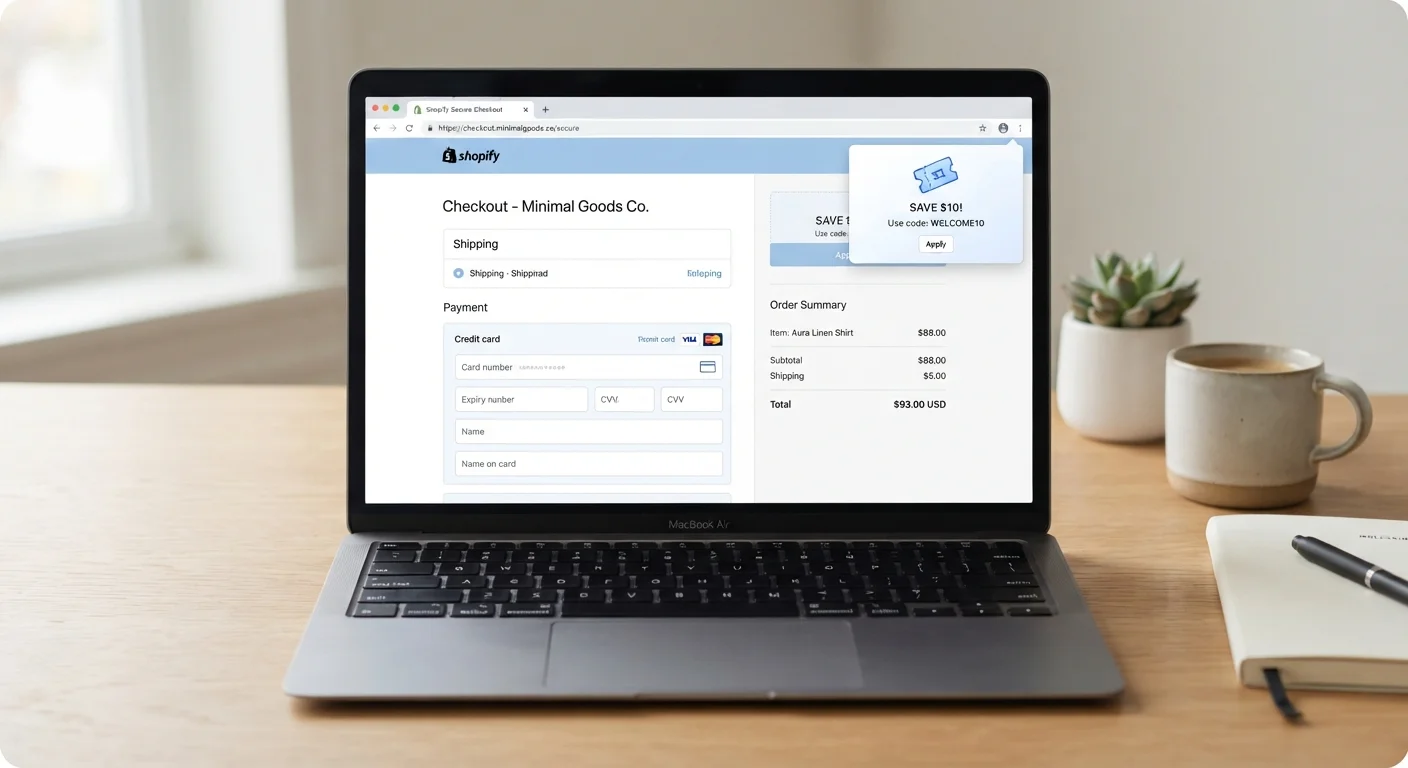
Photo: SummarizedReads.net | Just Read It! editorial
—— In This Article
Key Takeaways
- Automatic coupon extensions work by detecting checkout pages and testing stored promo codes in real time.
- These tools collect browsing and purchase data in exchange for convenience — a trade-off worth understanding.
- Code success rates vary; extensions don't always find the deepest available discount.
- Manual coupon searches and cashback portals remain valid alternatives with their own strengths.
- Reading an extension's privacy policy before installing reveals what data it shares and with whom.
Zero manual searching required at checkout
The extension handles code testing automatically, saving the time and frustration of opening multiple tab searches mid-purchase. This is particularly useful for infrequent shoppers who don't maintain lists of codes.
Tests multiple codes simultaneously
Rather than entering codes one by one, the extension cycles through its database and retains the best result, reducing the chance that a working code is overlooked.
Works across a wide range of retailers
Established extensions cover thousands of merchants, meaning one installed tool can potentially surface savings across many different sites without additional setup.
Often includes price comparison alerts
Several extensions go beyond codes to flag whether the item you're viewing is available at a lower price elsewhere, adding a layer of value beyond discounts alone.
Broad browser permissions raise privacy concerns
To function, most extensions need permission to read data on all websites visited — not just shopping sites. This level of access means the extension may observe far more browsing behavior than many users realize.
Code databases are incomplete and sometimes outdated
Extensions rely on curated code libraries that may lag behind retailer changes. A code that worked last week may be expired, and newer promotions may not yet appear in the database.
May slow down the checkout experience
Automated code testing adds a processing step. On slower connections or certain retail platforms, this can noticeably delay the checkout flow.
Data may be shared with marketing partners
Some extensions generate revenue by selling anonymized or aggregated purchase data to advertisers and market research firms — a business model that funds the free service but involves your shopping behavior.
Can conflict with retailer-specific promotions
Applying a general promo code sometimes voids a retailer's active sale price or loyalty reward. Extensions typically don't account for these conflicts before applying a code.
How Automatic Coupon Extensions Actually Work
Automatic coupon extensions are browser add-ons that monitor your activity and spring into action when you reach a retailer's checkout page. Here's the basic sequence:
- Page detection: The extension recognizes checkout URLs using pattern matching — it looks for signals like a payment form or a cart summary page.
- Code retrieval: It pulls a list of promo codes from its database, which is built and maintained by the extension's parent company through partnerships, user submissions, and web crawling.
- Automated testing: The extension enters each code into the discount field one by one, records whether the code is accepted, and keeps the one that yields the greatest reduction.
- Result display: A popup or overlay shows the savings found — or confirms that no working code exists for that retailer at that moment.
The entire process typically takes a few seconds. Some extensions also surface cashback offers or price-drop alerts, extending their function beyond coupon codes. For a broader comparison of these mechanisms, see how cashback portals and coupon sites differ.
Pros: Where These Tools Deliver Value
When they work, automatic coupon extensions offer a few concrete advantages over manual searching.
Zero manual searching required at checkout
The extension handles code testing automatically, saving the time and frustration of opening multiple tab searches mid-purchase. This is particularly useful for infrequent shoppers who don't maintain lists of codes.
Tests multiple codes simultaneously
Rather than entering codes one by one, the extension cycles through its database and retains the best result, reducing the chance that a working code is overlooked.
Works across a wide range of retailers
Established extensions cover thousands of merchants, meaning one installed tool can potentially surface savings across many different sites without additional setup.
Often includes price comparison alerts
Several extensions go beyond codes to flag whether the item you're viewing is available at a lower price elsewhere, adding a layer of value beyond discounts alone.
For context on what coupon codes are and why retailers issue them, this primer on coupon codes explains the mechanics from the retailer's side.
Cons: Limitations and Trade-Offs to Know
The convenience comes with real trade-offs that shoppers should weigh before installing.
Broad browser permissions raise privacy concerns
To function, most extensions need permission to read data on all websites visited — not just shopping sites. This level of access means the extension may observe far more browsing behavior than many users realize.
Code databases are incomplete and sometimes outdated
Extensions rely on curated code libraries that may lag behind retailer changes. A code that worked last week may be expired, and newer promotions may not yet appear in the database.
May slow down the checkout experience
Automated code testing adds a processing step. On slower connections or certain retail platforms, this can noticeably delay the checkout flow.
Data may be shared with marketing partners
Some extensions generate revenue by selling anonymized or aggregated purchase data to advertisers and market research firms — a business model that funds the free service but involves your shopping behavior.
Can conflict with retailer-specific promotions
Applying a general promo code sometimes voids a retailer's active sale price or loyalty reward. Extensions typically don't account for these conflicts before applying a code.
Extensions Don't Replace Manual Verification
Coupon extensions are useful but imperfect. Retailers sometimes restrict codes to first-time customers, specific product categories, or minimum cart values that the extension may not flag. Before assuming you've found the best available price, it's worth a quick look at the retailer's own promotions page. If a code fails unexpectedly, cart minimums, single-use restrictions, or category exclusions are common culprits.
Even when an extension applies a code, it may not always find the maximum possible savings. Manually checking a retailer's own promotions page or comparing with how promo codes differ from store coupons can reveal options the extension missed.
Privacy: What You're Sharing and With Whom
Automatic coupon extensions require browser permissions that go beyond what casual users might expect. To detect checkout pages and test codes, an extension typically needs access to read and modify content on all websites you visit — a broad permission that deserves scrutiny.
~40+
Permissions a typical coupon extension requests
Browser extension permission audits by consumer privacy researchers have noted that many shopping tools request access to read and change data on all sites visited, not just retail domains.
Varies widely
Share of codes that successfully apply
Extension success rates differ by retailer and database freshness; no publicly verified industry-wide figure exists, underscoring the value of manually verifying savings.
Most extensions are transparent about data collection in their privacy policies, though those documents can be long. Key questions to ask before installing any extension:
- Does it share purchase history or cart contents with third parties?
- Does it track which sites you visit even when you're not shopping?
- Can you opt out of data collection while retaining coupon functionality?
If the answers aren't clear from the policy, that's a reason to pause. Extensions with established privacy certifications or audited practices are generally easier to evaluate than newer, lesser-known tools.
Using Extensions as Part of a Broader Strategy
No single tool captures every available discount. Automatic coupon extensions are most effective when treated as one input among several, not a complete savings system. For shoppers building a fuller approach, navigating deal-finding without getting overwhelmed offers a grounded starting framework.
A practical combination might look like this:
- Let a coupon extension test codes automatically at checkout.
- Before completing a purchase, check the retailer's own promotions page for codes that require manual entry — extensions sometimes miss retailer-exclusive offers.
- For categories you shop frequently, compare whether a cashback portal might return more value than a one-time code.
When a code fails despite an extension's effort, understanding why codes fail helps diagnose the issue rather than leaving you guessing. Layering these habits takes only a few extra minutes and tends to surface savings that any single tool would miss on its own.

Shopping Editorial Team
Shopping Editorial Team is the collective byline for our editorial team and contributor network. Articles published under this byline or an editorial pen name are researched, written, and reviewed according to our editorial standards for clarity, consistency, and independence before publication.
View author profile